For years, businesses deployed chatbots. They answered questions. Sometimes correctly. Then the conversation ended.
In 2026, a fundamentally different kind of AI has arrived — one that doesn't just answer questions, but takes action. It books meetings, reconciles invoices, qualifies leads, escalates support tickets, and learns from every interaction.
This is agentic AI — and it is reshaping how businesses operate at every level.

01. What is Agentic AI?
Agentic AI refers to AI systems that can autonomously pursue goals across multiple steps, using tools, APIs, and external data — without requiring a human to direct every action.
Unlike a traditional LLM or chatbot that responds to a prompt and stops, an AI agent:
- •Perceives its environment (reads emails, monitors dashboards, listens to triggers)
- •Plans a sequence of steps to reach a defined goal
- •Acts by calling tools, writing to databases, sending messages, or triggering workflows
- •Learns by observing the outcomes and adjusting future behavior
The key distinction: a chatbot responds. An AI agent executes. It doesn't wait to be asked the same thing twice.
02. How AI Agents Work: The Perceive-Plan-Act-Learn Loop
Every agentic system runs on a core loop that mirrors how effective humans operate: observe the situation, decide what to do, do it, and reflect on the result.
Perceive
The agent reads its environment — incoming emails, CRM records, Slack messages, calendar events, database changes, or API webhooks. It builds a picture of the current state.
Plan
Using an LLM as its reasoning engine, the agent breaks down a high-level goal into a sequence of concrete steps. It selects which tools to call and in what order.
Act
The agent executes: calls an API, writes a database record, sends an email, creates a calendar event, updates a CRM field, or triggers another workflow.
Learn
The agent observes outcomes — did the email bounce? Was the meeting accepted? — and uses that feedback to improve future decisions, either in real time or through periodic fine-tuning.

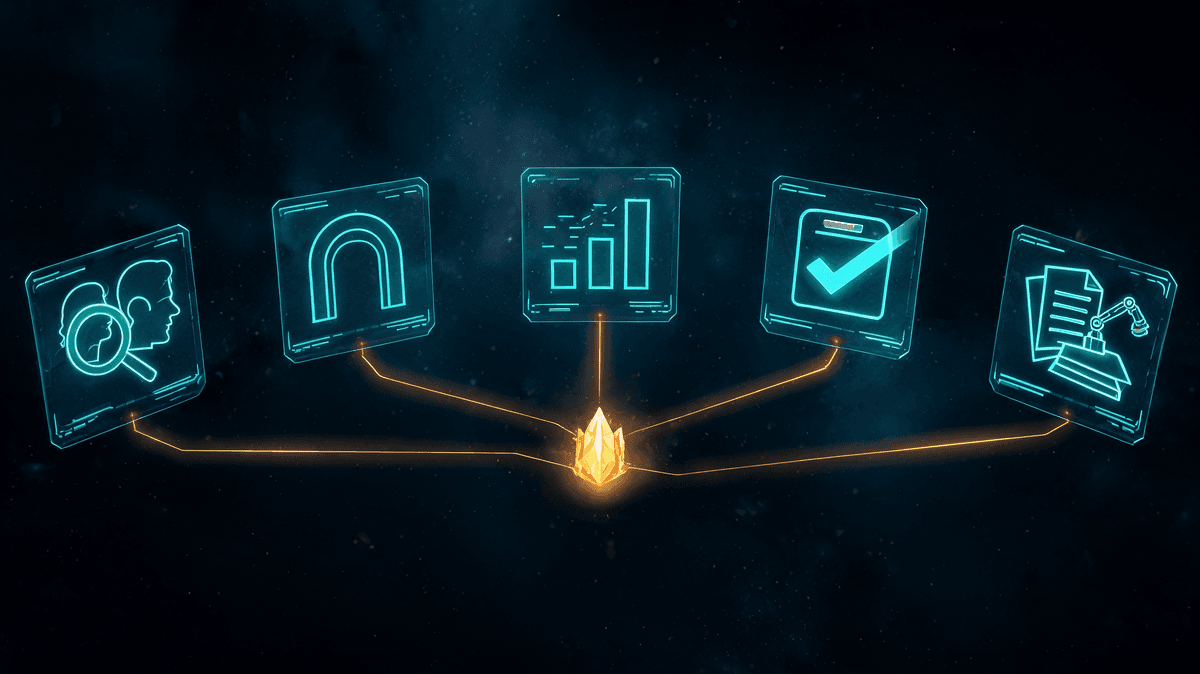
03. Five Real Business Use Cases
1. Sales Prospecting Agent
Monitors LinkedIn, industry databases, and website traffic. Identifies leads matching your ideal customer profile. Drafts personalized outreach, enriches CRM records, and schedules follow-up sequences — automatically.
Result: Sales teams spend time closing, not prospecting. Pipeline grows 3-5x without additional headcount.
2. Customer Onboarding Agent
Guides new clients through account setup, sends contextual tutorials, answers product questions, collects required documents, and notifies the right internal team at each milestone — no manual intervention needed.
Result: Onboarding time cut from 2 weeks to 48 hours. Customer satisfaction scores increase significantly.
3. Data Analysis Agent
Connects to your databases and BI tools. Runs daily analyses on KPIs, flags anomalies, generates narrative summaries, and delivers personalized reports to each department — without an analyst writing a single line of SQL.
Result: Leadership has real-time insight without bottlenecking the data team.
4. IT Support Agent
Triages incoming tickets, resolves tier-1 issues autonomously (password resets, access requests, common errors), escalates complex problems to the right engineer with full context already compiled.
Result: 60-70% of tickets resolved without human touch. IT team focuses on infrastructure, not helpdesk.
5. Finance Reconciliation Agent
Ingests bank statements, ERP data, and invoices. Matches transactions, flags discrepancies, categorizes expenses, and prepares monthly close reports — reducing a process that took days to a matter of hours.
Result: Finance teams close books 5-10x faster with dramatically lower error rates.
04. Agentic AI vs Traditional Automation vs RAG
Understanding where agentic AI fits relative to other technologies helps you choose the right tool for each problem:
| Capability | Traditional Automation | RAG Systems | Agentic AI |
|---|---|---|---|
| Handles ambiguity | ✗ No | ~ Partial | ✓ Yes |
| Takes multi-step action | ✗ No | ✗ No | ✓ Yes |
| Learns from outcomes | ✗ No | ✗ No | ✓ Yes |
| Uses external tools/APIs | ~ Scripted only | ✗ No | ✓ Dynamically |
| Answers knowledge queries | ✗ No | ✓ Yes | ✓ Yes |
| Adapts to context changes | ✗ No | ~ Limited | ✓ Yes |
| Requires human oversight | Low (once built) | Low | Medium (initially) |
05. Risks and How to Mitigate Them
Agentic AI introduces new categories of risk that chatbots never created. Understanding them is the first step to deploying safely.
Risk: Hallucinations at Scale
When an agent takes action based on incorrect reasoning, the error compounds. A hallucinated discount in a proposal becomes a sent email, a CRM update, and a confused client.
Mitigation: Ground agents in verified data sources (RAG), implement human-in-the-loop checkpoints for high-stakes actions, and set confidence thresholds below which the agent asks for confirmation.
Risk: Loss of Control
Autonomous agents can take unintended actions, especially when given broad permissions. An agent with write access to your CRM and email system can do a lot of damage if misconfigured.
Mitigation: Apply the principle of least privilege. Agents should only access what they need. Audit logs for every action. Start with read-only agents and add write permissions incrementally.
Risk: Data Leaks
Agents often process sensitive business data. If they route information to third-party AI providers without proper controls, you may violate privacy regulations or expose competitive information.
Mitigation: Use private deployments where possible, anonymize sensitive fields before LLM processing, and implement data classification policies that govern what agents can and cannot access.
06. How to Get Started: A 3-Phase Implementation
Phase 1 — Identify and Scope (Weeks 1-2)
Map your highest-value, highest-repetition processes. Look for tasks that are rule-based but require reading unstructured data (emails, documents, chat). Start with one process. Define the success metric before you build.
Phase 2 — Build and Contain (Weeks 3-6)
Build the agent with minimal permissions in a sandbox environment. Test extensively with real data but fake consequences. Define the failure modes. Establish the human-in-the-loop checkpoints. Only move to production once the failure rate is below your threshold.
Phase 3 — Deploy and Scale (Week 7+)
Deploy to production with full audit logging. Monitor closely for the first two weeks. Measure against your success metric. Once the first agent is stable and delivering ROI, identify the next process to automate. Scale horizontally.
Conclusion
The chatbot era is over. The agent era has begun.
Agentic AI is not a marginal improvement over what came before — it represents a qualitative shift in what AI can do inside a business. The companies deploying agents today are not just more efficient. They are building a structural advantage that compounds every quarter.
The question is not whether your business will use agents. The question is whether you'll be the one deploying them, or the one trying to compete against companies that already did.